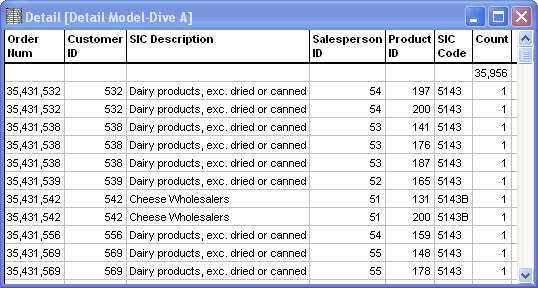
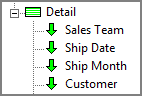
When a large model is built, the Diver developer can include optional detail dimensions that contain specific focused data. Unlike core dimensions, detail dimensions are not fully indexed within the model. You can dive on these dimensions only after diving on the core dimensions to the point of the data being narrowed to 256,000 or fewer records. At that point, a green box appears next to Detail in the Console. Expand the Detail section of the Console to view the detail dimensions. A down-arrow to the left of the dimension name indicates that the detail dimension is diveable.
NOTE: After diving on detail dimensions, you cannot return to a non-detail-level dimension in the same dive.
TIP: Double-click the Detail icon  to create a detail dump, which is a MultiTabular window containing all dimensions and summaries of the
detail data. You cannot dive on the
to create a detail dump, which is a MultiTabular window containing all dimensions and summaries of the
detail data. You cannot dive on the  detail dump window or change the display type; however, you can sort on any column.